
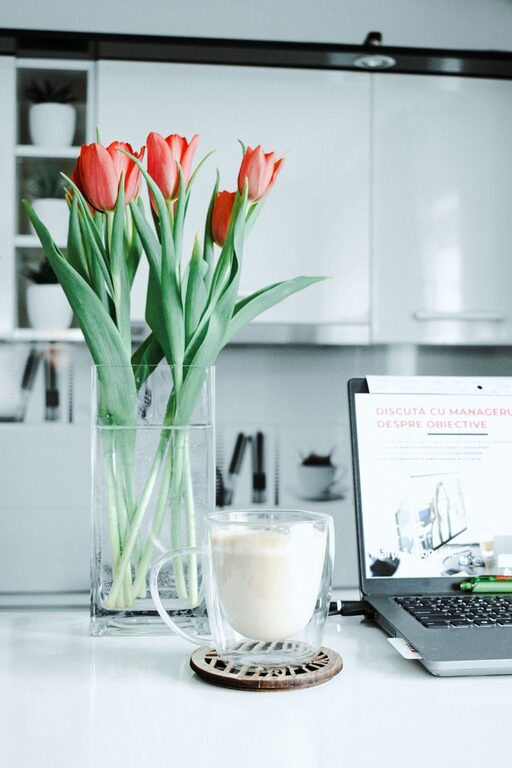
Creating a relaxing home workspace is essential for maintaining focus and boosting productivity, especially as more people work from home. A thoughtfully designed area can help reduce stress, improve comfort, and make it easier to stay motivated throughout the day. Whether you’re setting up a dedicated office or just a corner in your living room, these tips will guide you in creating an inviting and productive environment.
1. Choose the Right Location
Selecting the best spot for your workspace is a crucial first step. Ideally, pick a place with minimal distractions and enough natural light. Near a window can be perfect as it provides fresh air and natural illumination, both of which are linked to better mood and alertness.
If space is limited, try to find a corner that feels private and quiet. Avoid high-traffic areas where interruptions are common. This will help signal to yourself and others that it is your work zone.
2. Invest in Comfortable Furniture
Your workspace should support good posture and reduce discomfort. A sturdy desk at the right height and an ergonomic chair can make a world of difference.
– Chair: Look for adjustable features, lumbar support, and cushioned seating.
– Desk: Ensure it allows for a comfortable position where your arms can rest naturally.
– Footrest: Consider using one to ease pressure on your legs if needed.
Comfort encourages longer periods of focus without fatigue.
3. Prioritize Lighting
Proper lighting reduces eye strain and keeps you alert. While natural light is best, supplement it with quality artificial lighting as needed.
– Use a desk lamp with adjustable brightness.
– Avoid harsh overhead lights that create glare.
– Position screens perpendicular to windows to prevent reflections.
Soft, warm lighting can also contribute to a more relaxing atmosphere during evening work sessions.
4. Keep Your Workspace Organized
Clutter can distract and cause unnecessary stress. An organized space helps maintain mental clarity.
– Use shelves, drawers, and containers to keep supplies tidy.
– Declutter regularly to remove items you don’t need.
– Keep only essentials on your desk surface.
Having a neat workspace allows you to focus on tasks without visual distraction.
5. Add Personal Touches
Injecting personality into your workspace helps foster a sense of calm and belonging.
– Display a few favorite photos or artwork.
– Add greenery with easy-care plants like succulents or pothos.
– Use color accents that soothe or energize, depending on your preference.
Personal touches should enhance comfort without overwhelming the space.
6. Limit Noise Distractions
Noise can interrupt concentration and increase stress. Consider ways to reduce unwanted sounds:
– Use noise-cancelling headphones with soft music or white noise.
– Place rugs and curtains to absorb sound.
– Choose a quiet spot away from household or street noise.
If complete silence isn’t possible, controlled background noise can sometimes improve focus.
7. Manage Technology Wisely
Technology is vital but can also be a source of distraction. Organize your devices efficiently:
– Keep cords tidy with clips or cable organizers.
– Use a docking station for laptops to reduce clutter.
– Turn off non-essential notifications during focused work periods.
Maintaining a clean tech setup supports smooth workflow and less frustration.
8. Incorporate Movement and Break Areas
Sitting too long can cause discomfort and decrease productivity. Plan for movement and breaks:
– Use a sit-stand desk if possible.
– Take short breaks to stretch or walk around.
– Designate a nearby spot for relaxation or stretching exercises.
Regular movement boosts energy and creativity throughout the workday.
9. Set Boundaries and Work Hours
Creating a relaxing workspace involves mental boundaries too. Define your working hours and communicate them if needed.
– Use signals like a closed door or headphones to indicate focus time.
– Avoid using your workspace for non-work activities.
– Establish routines that separate work from rest.
Clear boundaries help maintain balance and prevent burnout.
10. Personalize Your Productivity Tools
Customize tools and apps that support your workflow:
– Use planners or digital calendars to organize tasks.
– Consider focus apps that block distracting websites.
– Incorporate timers or to-do lists that suit your style.
Efficient tools tailored to your needs make work feel more manageable and less overwhelming.
—
By following these tips, you can create a home workspace that feels both relaxing and productive. Remember, the goal is to build an environment where you can focus comfortably, reduce stress, and enjoy your workday. Start small and adjust your space over time until it perfectly fits your needs. Happy working!